
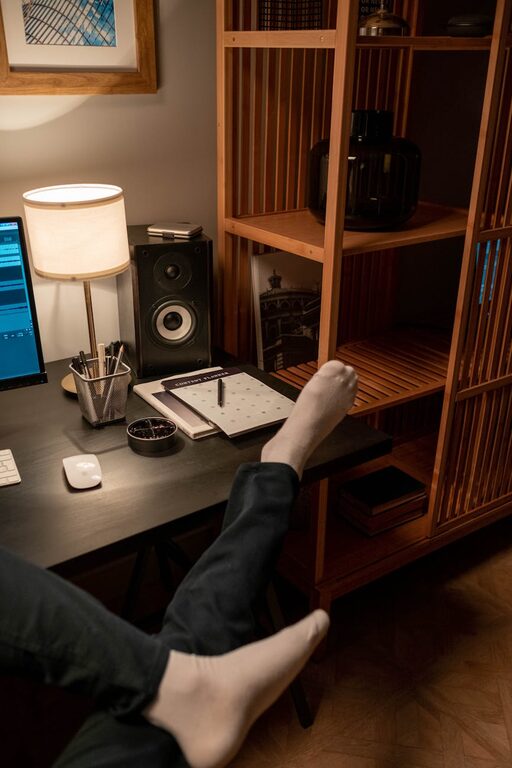
Creating a home workspace that is both inviting and productive can greatly improve your work-from-home experience. Whether you’re a remote worker, freelancer, or simply need a quiet space for tasks, designing an area that motivates and supports your workflow is essential. In this post, we’ll explore practical tips to help you build a comfortable, efficient home office that meets your needs.
Choose the Right Location
When setting up your home workspace, location matters. Select a spot that minimizes distractions and allows for focus. If possible, choose a separate room or a quiet corner away from heavy household traffic.
– Natural Light: Position your desk near a window to benefit from natural light. It can boost mood and energy.
– Quiet Area: Avoid noisy zones like the TV room or kitchen.
– Space Considerations: Ensure there’s enough space for your desk, chair, and any equipment you need.
Invest in Comfortable Furniture
Comfort plays a big role in productivity. Long hours require an ergonomic chair and a desk at the right height.
– Ergonomic Chair: Choose one that supports your back and encourages good posture.
– Desk: Consider the size and height; standing desks or adjustable desks can add flexibility.
– Additional Seating: If you host meetings or brainstorming sessions, having a comfortable extra chair can be helpful.
Organize with Purpose
A clutter-free workspace helps maintain focus. Organize your items to keep essential tools within reach and reduce distractions.
– Storage Solutions: Use shelves, drawers, or filing cabinets to store documents and supplies.
– Cable Management: Keep cords tidy and out of the way using clips or sleeves.
– Daily Essentials: Keep key items like pens, notebooks, and your calendar close by to avoid interruptions.
Use Effective Lighting
Good lighting reduces eye strain and creates a welcoming atmosphere.
– Task Lighting: A desk lamp with adjustable brightness helps when working on detailed tasks.
– Ambient Lighting: Soft overhead light or floor lamps can reduce harsh shadows.
– Avoid Glare: Position your screen and lights to prevent glare that can cause discomfort.
Personalize Your Space
Adding personal touches can make your workspace feel inviting and boost motivation.
– Plants: Greenery can improve air quality and provide a calming effect.
– Artwork: Inspiring images or photographs add personality and warmth.
– Color Choices: Use colors that encourage focus; blues and greens are often calming, while yellows can promote creativity.
Minimize Distractions
Setting boundaries helps maintain productivity.
– Set Working Hours: Clearly define when your workday begins and ends.
– Limit Noise: Use noise-cancelling headphones or white noise machines if outside noise is an issue.
– Notifications: Turn off unnecessary phone or computer alerts during focus periods.
Incorporate Technology Wisely
Ensure your workspace supports your work needs with the right technology.
– Reliable Internet: Check your Wi-Fi speed and consider a wired connection for stability.
– Proper Equipment: Invest in a quality monitor, keyboard, and mouse to improve comfort.
– Backup Solutions: Use cloud storage or external drives to protect important files.
Maintain Your Workspace
Regular upkeep keeps your office inviting and efficient.
– Clean Daily: Tidy your desk and clear paperwork at the end of the day.
– Review and Refresh: Periodically reassess your setup to improve comfort and functionality.
– Break Areas: If space allows, create a small area for breaks to recharge without leaving home.
Final Thoughts
Creating an inviting and productive home workspace is about balancing comfort, organization, and personalization. Small adjustments can make a big difference in your daily work routine. With these tips, you’ll be well on your way to building a space that not only looks good but supports your best work every day.